The Best Teleprompter for Zoom
Stop glancing away during important Zoom meetings. Avocado stays completely hidden from screen sharing while letting you read notes directly below your camera.
macOS Sonoma 14+
10,000+ creators record with Avocado
Welcome to Avocado. smile
The stealthiest teleprompter
ever created for macOS.
It remains completely invisible
when sharing your screen on Zoom. pause
Nail every presentation while
maintaining perfect eye contact. breathe
Avocado listens as you speak,
automatically scrolling text
to match your natural rhythm. pause
Start free. Go Pro when you're ready.
Customize the font, size, and color
or detach it into Floating Mode. smile
Start reading beautifully today.
Keep scrolling to see more... long pause
Welcome to Avocado. smile
The stealthiest teleprompter
ever created for macOS.
It remains completely invisible
when sharing your screen on Zoom. pause
Nail every presentation while
maintaining perfect eye contact. breathe
Avocado listens as you speak,
automatically scrolling text
to match your natural rhythm. pause
Start free. Go Pro when you're ready.
Customize the font, size, and color
or detach it into Floating Mode. smile
Start reading beautifully today.
Keep scrolling to see more... long pause
Stop glancing away during important Zoom meetings. Avocado stays completely hidden from screen sharing while letting you read notes directly below your camera.
macOS Sonoma 14+
10,000+ creators record with Avocado
Put your script where your eyes already are — so you look straight down the barrel of the camera.
No operator, no foot pedal — the script keeps up with your voice and waits when you stop.
Find your place instantly, stay on the active line, and let on-device AI handle the pacing.
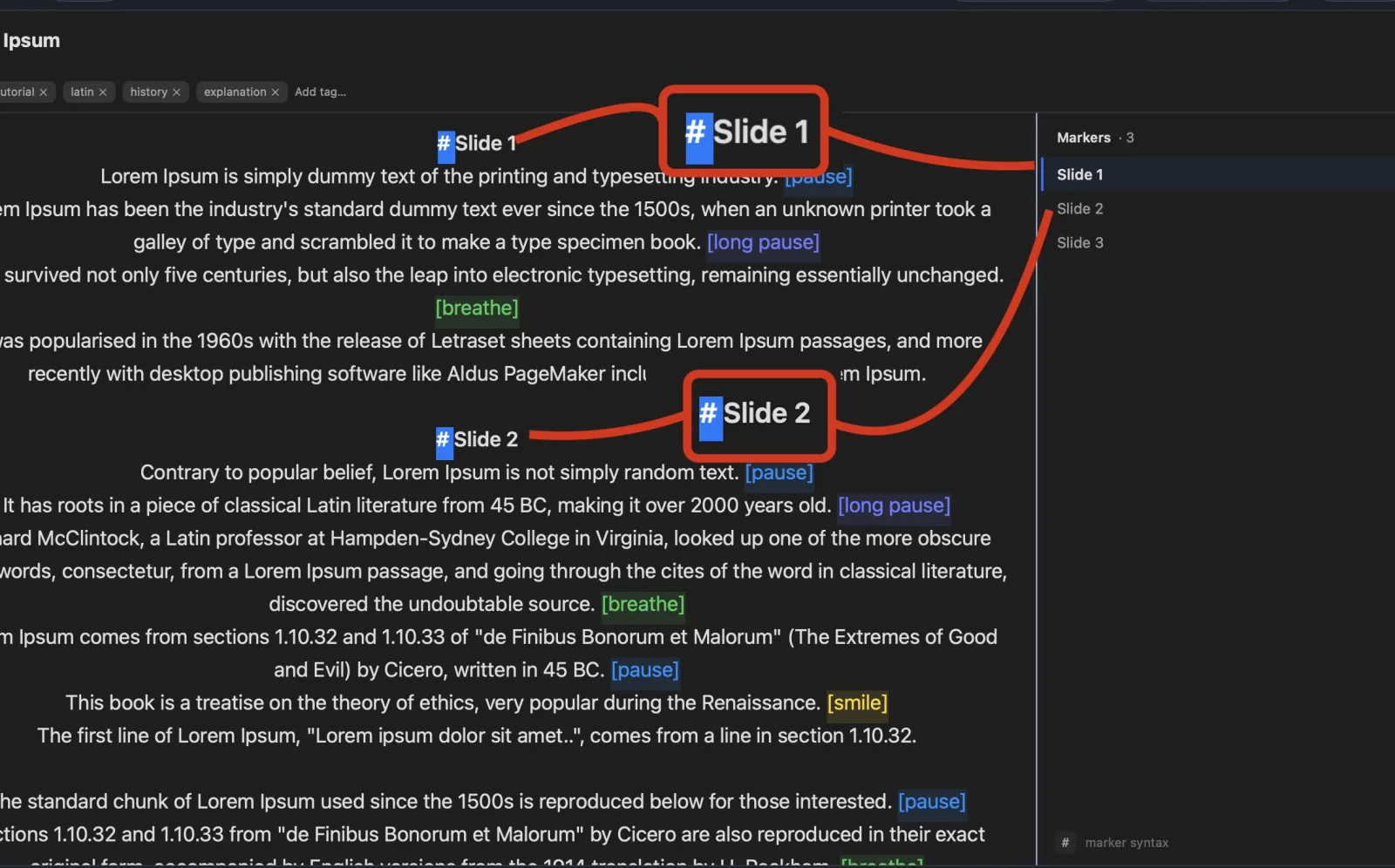
Turn any phone, tablet, or laptop into a remote and a second screen — no app, no account.
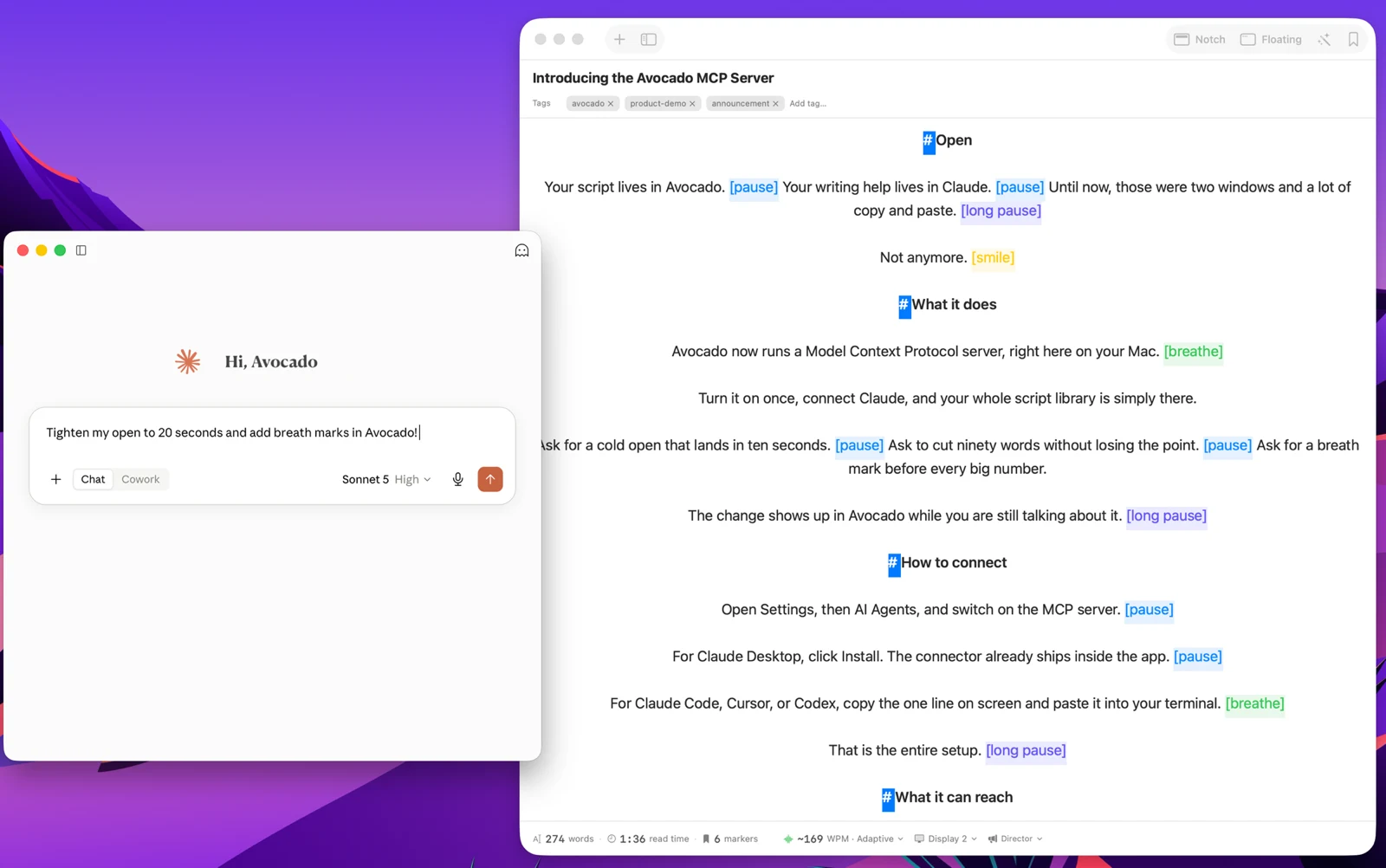
Write with the AI assistant you already use, let Apple Intelligence keep the library organized, and turn every session into a private, on-device report — only the counts are stored, never your words.
Avocado Pro
Every week, no card. Unlimited voice scrolling, AI Smart Cues, and Director Mode when you're ready to keep them.
Zoom screen sharing is powerful, but navigating multiple windows while trying to read your notes is stressful. Avocado solves this by functioning as a dedicated, floating Zoom teleprompter on your Mac. Because Avocado utilizes the native macOS WindowServer overlay, it operates as a completely invisible teleprompter to Zoom screen shares — even if you are sharing your entire desktop. You can seamlessly read scripts, answer Q&As using the focus guide, and track meeting agendas perfectly at eye level while your coworkers see a clean, professional camera feed.
The invisibility matters most in two specific Zoom scenarios. First, when you're sharing your full desktop during a presentation — any other app would leak into the share, but Avocado doesn't appear in it regardless of your share settings. Second, during video-on interviews and sales calls where you want to reference notes without the other person seeing a script scrolling on your screen. In both cases, the person on the other end sees only your face, looking directly at the camera, not a text window crawling across your display.
Eye contact is the other half of the equation. Most people on Zoom glance down at their notes, at the participant grid, or at their own self-view — and it registers as distraction even when the content is good. Because Avocado sits in the MacBook notch, directly above the camera, your eyes land on the lens while you read. To the other participants, you appear to be speaking from memory and looking straight at them. For sales calls, executive presentations, or interviews, that difference in perceived confidence is significant.
For recurring meeting types — discovery calls, product demos, weekly standups — you can keep a saved script in Avocado loaded with your standard talking points and Script Markers for each section. Jump to the right section based on where the conversation goes, without hunting through documents or hoping you remember everything. Stop looking down at printed notes or dragging TextEdit to the edge of your screen.