Sound like you
know it by heart.
Your script, right below the lens. Nobody else sees it.
macOS Sonoma 14+
10,000+ creators record with Avocado
Welcome to Avocado. smile
The stealthiest teleprompter
ever created for macOS.
It remains completely invisible
when sharing your screen on Zoom. pause
Nail every presentation while
maintaining perfect eye contact. breathe
Avocado listens as you speak,
automatically scrolling text
to match your natural rhythm. pause
Start free. Go Pro when you're ready.
Customize the font, size, and color
or detach it into Floating Mode. smile
Start reading beautifully today.
Keep scrolling to see more... long pause
Welcome to Avocado. smile
The stealthiest teleprompter
ever created for macOS.
It remains completely invisible
when sharing your screen on Zoom. pause
Nail every presentation while
maintaining perfect eye contact. breathe
Avocado listens as you speak,
automatically scrolling text
to match your natural rhythm. pause
Start free. Go Pro when you're ready.
Customize the font, size, and color
or detach it into Floating Mode. smile
Start reading beautifully today.
Keep scrolling to see more... long pause
Your script, right below the lens. Nobody else sees it.
macOS Sonoma 14+
10,000+ creators record with Avocado
Put your script where your eyes already are — so you look straight down the barrel of the camera.
No operator, no foot pedal — the script keeps up with your voice and waits when you stop.
Find your place instantly, stay on the active line, and let on-device AI handle the pacing.
Turn any phone, tablet, or laptop into a remote and a second screen — no app, no account.
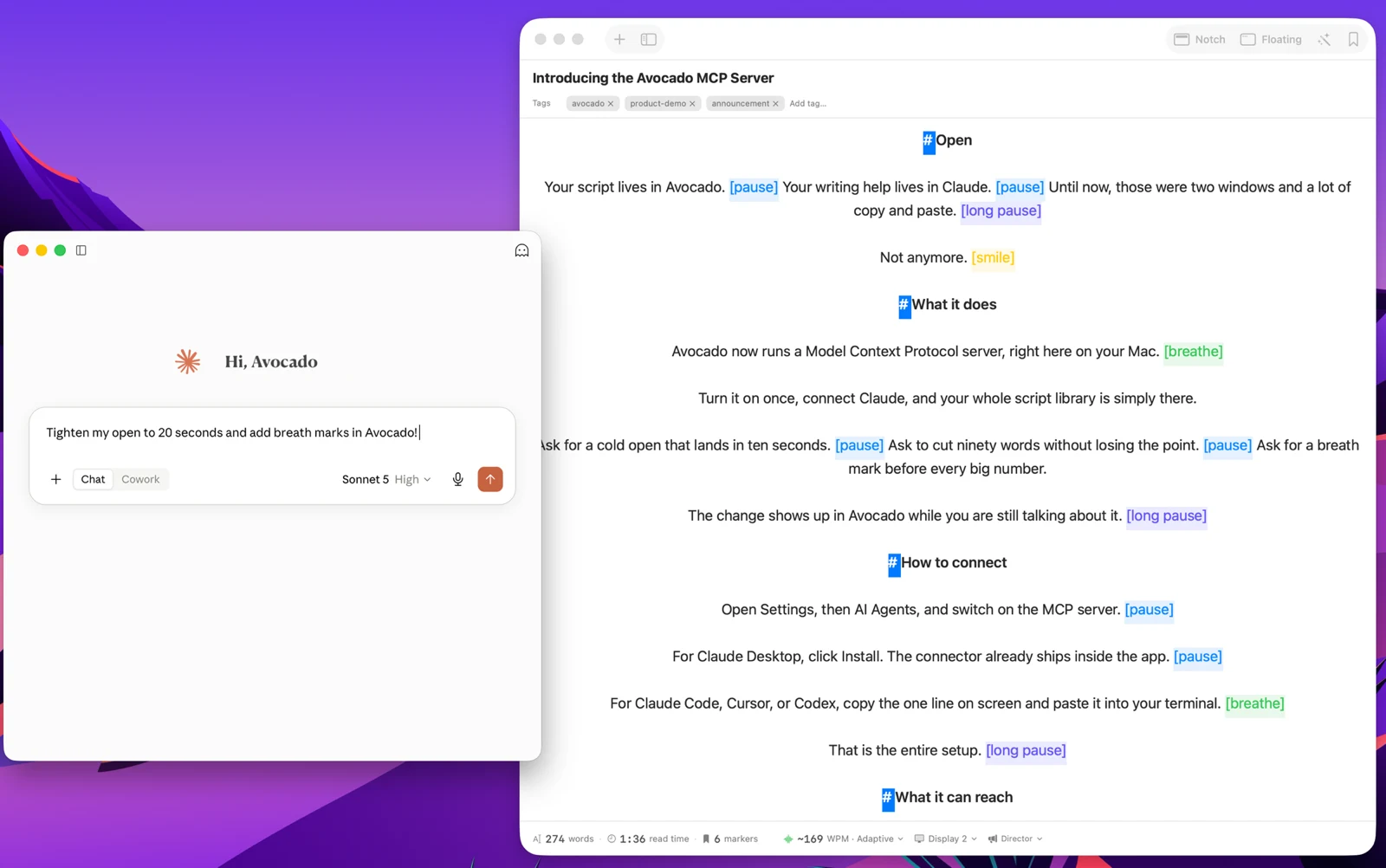
Write with the AI assistant you already use, let Apple Intelligence keep the library organized, and turn every session into a private, on-device report — only the counts are stored, never your words.
Avocado Pro
Every week, no card. Unlimited voice scrolling, AI Smart Cues, and Director Mode when you're ready to keep them.
And seven other things people ask before downloading.
Yes. The core Avocado experience is completely free — no credit card, no time limit. Notch Mode, Floating Mode, Script Markers, Focus Guide, PowerPoint import, and constant-speed scrolling at whatever pace you set — 50 to 300 WPM, adjustable mid-session with ⌘↑ and ⌘↓ — on scripts of any length are all included at no cost. Voice scrolling and adaptive speed are unlimited on Pro, and you get 3 full sessions of them every week for free.
Setting your own scroll speed is free — Pro is about never having to touch it. Unlimited voice-activated and adaptive scrolling lets the prompter follow your voice instead of a fixed number, and Pro adds AI Agent Access (write and edit scripts from Claude, Cursor or Codex), AI Smart Cues, Director Mode (control from any device), Teleprompter Viewer, Auto-Naming, Auto-Tag suggestions, mouse scroll, hide controls, and Follow Mouse across monitors. Monthly and yearly plans available.
Yes. Avocado uses on-device Apple speech recognition to scroll the script precisely as you speak and pause when you stop — no cloud, no latency. It learns your natural reading pace in real time so you never need to touch a slider. Voice scrolling is unlimited on Avocado Pro, and the free plan includes 3 full sessions of it every week, so you can use it on real takes without paying.
Yes. While Notch mode is designed to blend into the MacBook camera notch for perfect eye contact, Floating mode lets you drag and resize the prompter window anywhere on screen. It works great on external monitors, studio displays, and older Macs without a notch.
Absolutely — Avocado is built for any on-camera moment. Solo YouTube videos, course recordings, Loom walkthroughs, podcast intros, audition tapes. Notch mode places your script directly below the lens so you maintain natural eye contact with the camera, and since Avocado is invisible to screen capture, it won't appear anywhere in your recording.
How to use a teleprompter without looking like you're reading →Yes, by default. Voice recognition, AI Smart Cues, and your scripts are all processed on your Mac using Apple frameworks — no cloud uploads, no account required, and it works offline. The one exception is something you switch on yourself: connect an AI assistant under Settings → AI Agents and the scripts you ask it about reach that assistant, the same as anything else you would send it.
No. Avocado is completely invisible during screen shares and recordings. Whether you're on Zoom, Google Meet, Microsoft Teams, recording a Loom walkthrough, or streaming through OBS, your teleprompter stays entirely hidden — it won't appear in screenshots or video captures either.
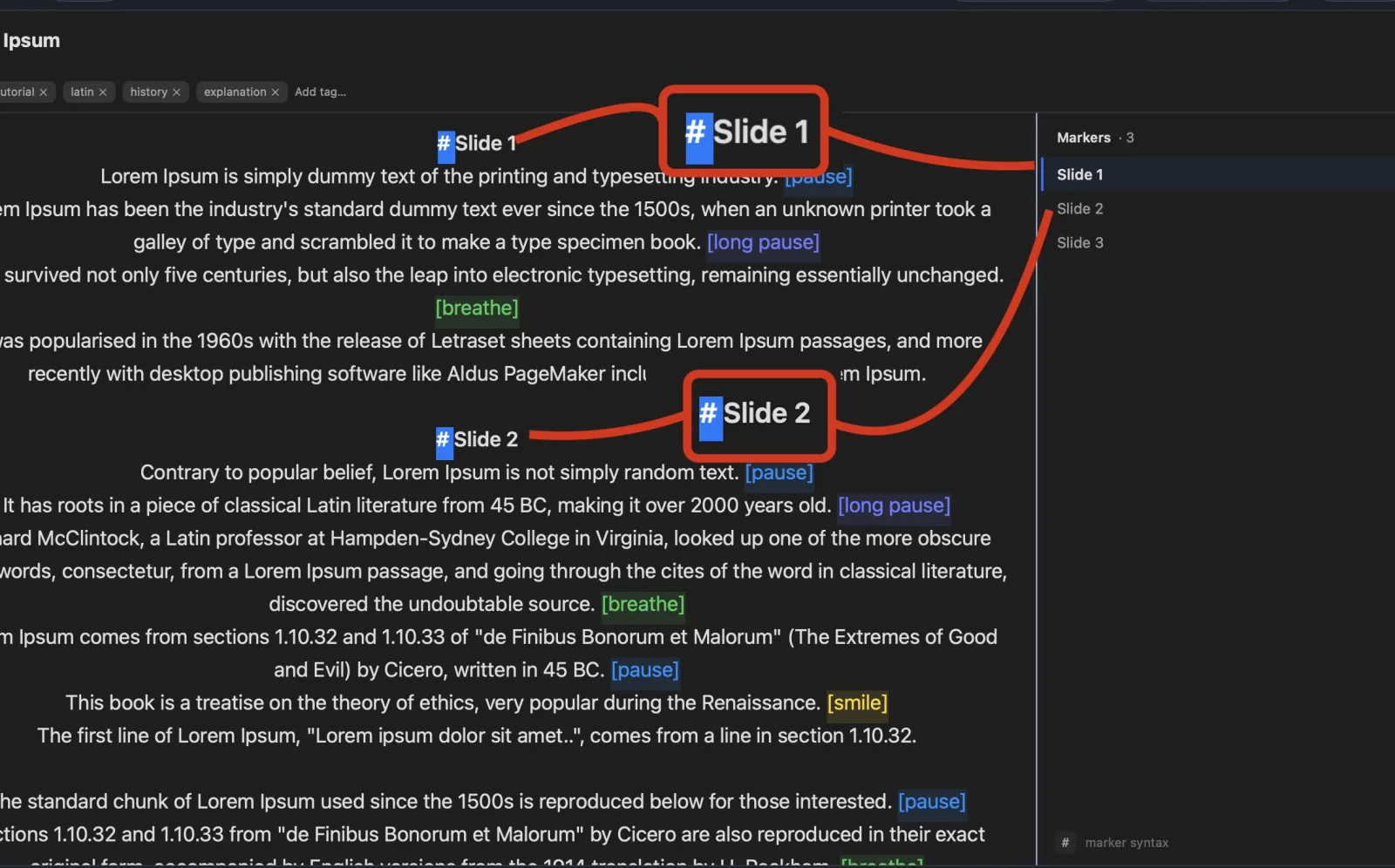
Yes. Drop any .pptx file anywhere in the Avocado editor window and it instantly extracts your presenter notes as a ready-to-read script. Each slide is automatically bookmarked with a Script Marker so you can jump between sections from the sidebar. Plain text and Markdown files work the same way, as does text dragged straight from another app, and dropping several files at once creates one script each. It's a free feature — no Pro license needed.
Thirty-two features. Most of them free.