The Best Teleprompter for Mac
A premium, native teleprompter built specifically for macOS. Read seamlessly from your notch, maintain eye contact, and never break a sweat during a presentation.
macOS Sonoma 14+
10,000+ creators record with Avocado
Welcome to Avocado. smile
The stealthiest teleprompter
ever created for macOS.
It remains completely invisible
when sharing your screen on Zoom. pause
Nail every presentation while
maintaining perfect eye contact. breathe
Avocado listens as you speak,
automatically scrolling text
to match your natural rhythm. pause
Start free. Go Pro when you're ready.
Customize the font, size, and color
or detach it into Floating Mode. smile
Start reading beautifully today.
Keep scrolling to see more... long pause
Welcome to Avocado. smile
The stealthiest teleprompter
ever created for macOS.
It remains completely invisible
when sharing your screen on Zoom. pause
Nail every presentation while
maintaining perfect eye contact. breathe
Avocado listens as you speak,
automatically scrolling text
to match your natural rhythm. pause
Start free. Go Pro when you're ready.
Customize the font, size, and color
or detach it into Floating Mode. smile
Start reading beautifully today.
Keep scrolling to see more... long pause
A premium, native teleprompter built specifically for macOS. Read seamlessly from your notch, maintain eye contact, and never break a sweat during a presentation.
macOS Sonoma 14+
10,000+ creators record with Avocado
Put your script where your eyes already are — so you look straight down the barrel of the camera.
No operator, no foot pedal — the script keeps up with your voice and waits when you stop.
Find your place instantly, stay on the active line, and let on-device AI handle the pacing.
Turn any phone, tablet, or laptop into a remote and a second screen — no app, no account.
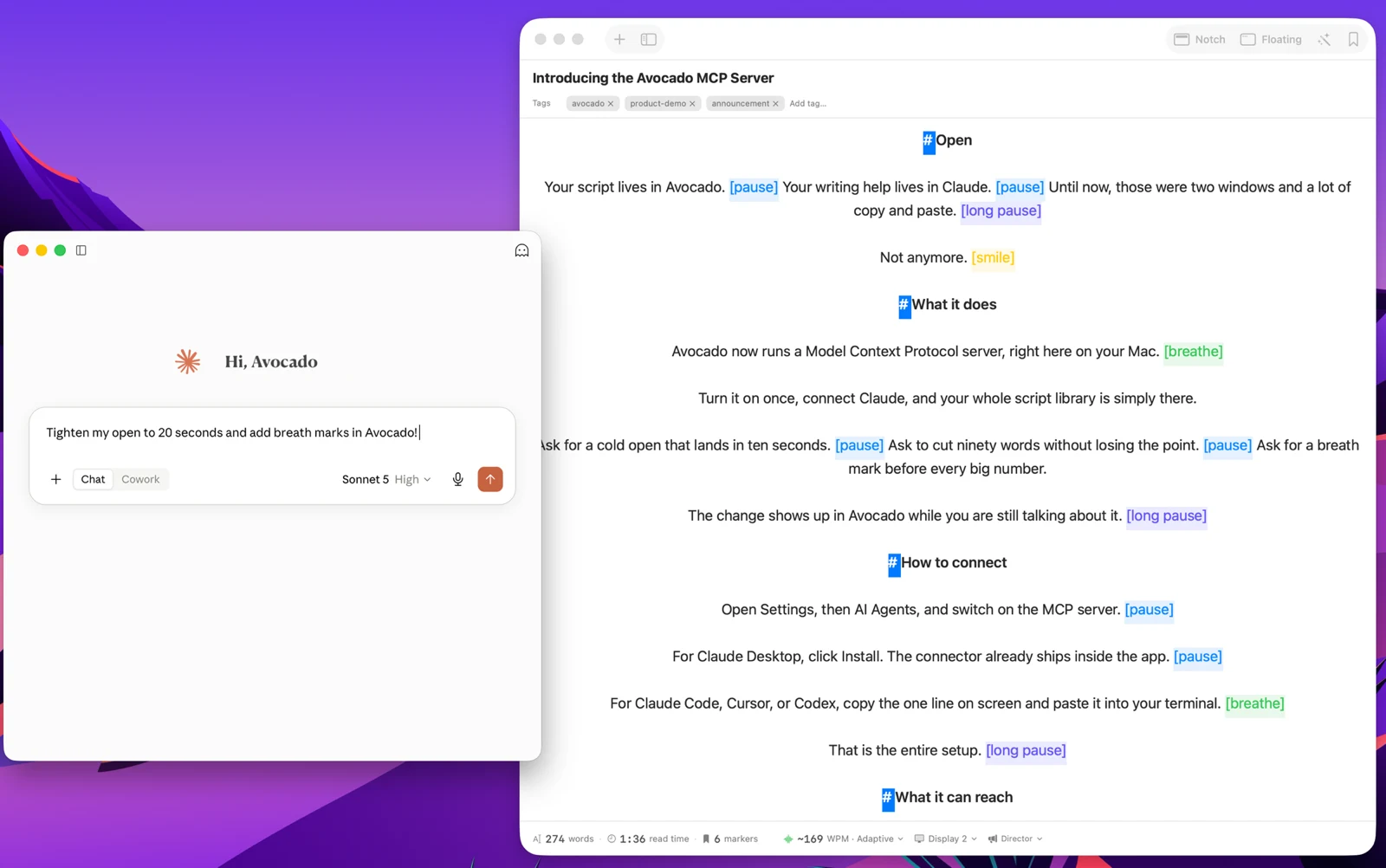
Write with the AI assistant you already use, let Apple Intelligence keep the library organized, and turn every session into a private, on-device report — only the counts are stored, never your words.
Avocado Pro
Every week, no card. Unlimited voice scrolling, AI Smart Cues, and Director Mode when you're ready to keep them.
Most teleprompter apps for Mac are Electron wrappers around a web app, or iPad apps ported through Catalyst. They work, technically — but they carry the overhead of a full browser engine, ignore macOS conventions, and treat the platform as an afterthought. Avocado was written from scratch in SwiftUI, specifically for macOS. The difference in behavior is immediate: it launches in under a second, uses around 4MB of memory at runtime, and imposes no measurable battery drain during long recording sessions.
The notch integration is the most visible expression of this. On MacBooks with a notch, Avocado snaps into that space precisely — the teleprompter text sits directly above the camera, which is exactly where it needs to be for natural eye contact. When you look at the script, you're looking at the lens. This isn't cosmetic. It's the entire reason eye contact works with a teleprompter: the text and the camera have to be in the same place.
For voice-activated scrolling, Avocado uses Apple's on-device SFSpeechRecognizer framework — the same engine powering Siri dictation. All audio processing happens locally, in real time, with no uploads and no API calls. Your script content and your voice never leave the Mac. For professionals using teleprompters with sensitive content — unreleased product announcements, legal disclosures, financial results — on-device processing is not a feature, it's a requirement.
Avocado also integrates with the macOS input layer rather than working around it. Trackpad scroll gestures advance the script naturally. The window respects macOS window management. The app doesn't fight the operating system to do its job. If you've used Electron teleprompter apps and found them sluggish or inconsistent, the comparison with a native implementation is stark — see a direct feature comparison here.