The Fear of Getting Lost
If you've ever read a 10-minute speech off a teleprompter, you know the feeling: you look away from the camera for a split second, and when you look back, you have no idea which line you were on. It's a wall of text.
To fix this, we built Script Markers into Avocado.
What are Script Markers?
Script Markers act as structural checkpoints for your script. By simply typing a short prefix like ### before a line, Avocado dynamically highlights that segment, giving it intense visual priority.
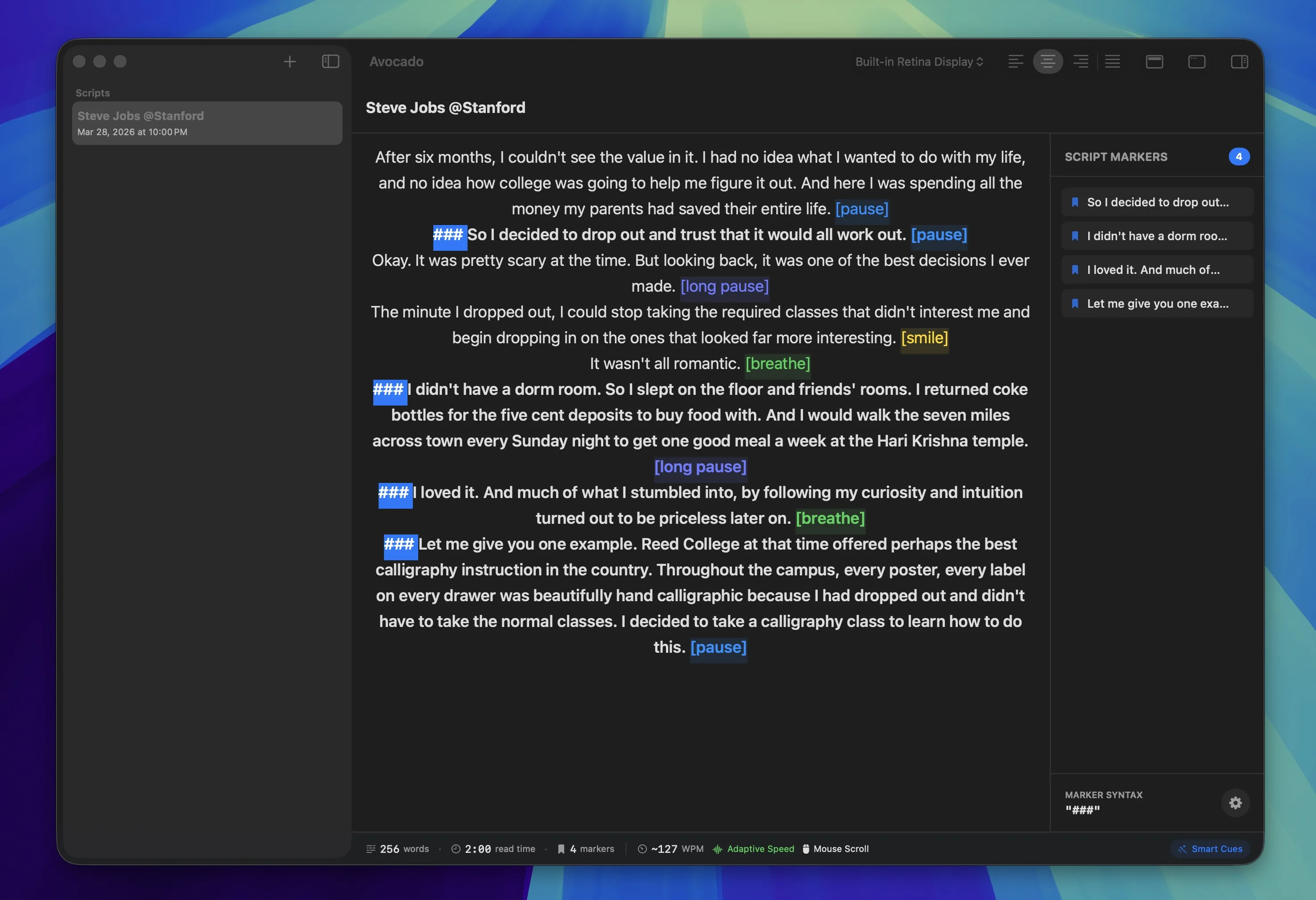
The Editor Sidebar
When you create a marker, it doesn't just change the formatting—it actually builds a dynamic table of contents on the right side of your Avocado Editor. The sidebar allows you to instantly jump to specific sections of your presentation (e.g., "Intro", "The Big Reveal", "Q&A") without endlessly scrolling.
If you have an intricate pitch deck or a long townhall meeting, Script Markers are your safety net. They ensure that even if you go completely off-script for 5 minutes, you know exactly where to jump back in.
Script Markers also shine when you're doing bullet-point prompting—using your teleprompter as an outline rather than a word-for-word script.
Stop Dreading Long Scripts
The biggest presentation mistakes don't happen in rehearsal—they happen live, when a speaker loses their place and their confidence collapses with it. Script Markers give you a visual anchor so that no matter how far you drift, you always know exactly where home is. Add your first marker to your next script and notice how much calmer you feel before you hit record.