The Problem with Reading on Camera
Traditional teleprompter software has exactly one job: push text upwards at a steady pace. The problem is that human speech is not steady. We pause for emphasis. We breathe. We smile at a joke. If a teleprompter just rolls on relentlessly, the speaker is forced into a monotonous, breathless sprint to keep up.
Enter On-Device Apple Intelligence
With the release of modern neural engines, local apps can finally harness powerful, on-device large language models (LLMs) without sending private scripts to the cloud. Avocado's brand new Smart Cues feature does exactly this.
Procedural Pauses & Pacing
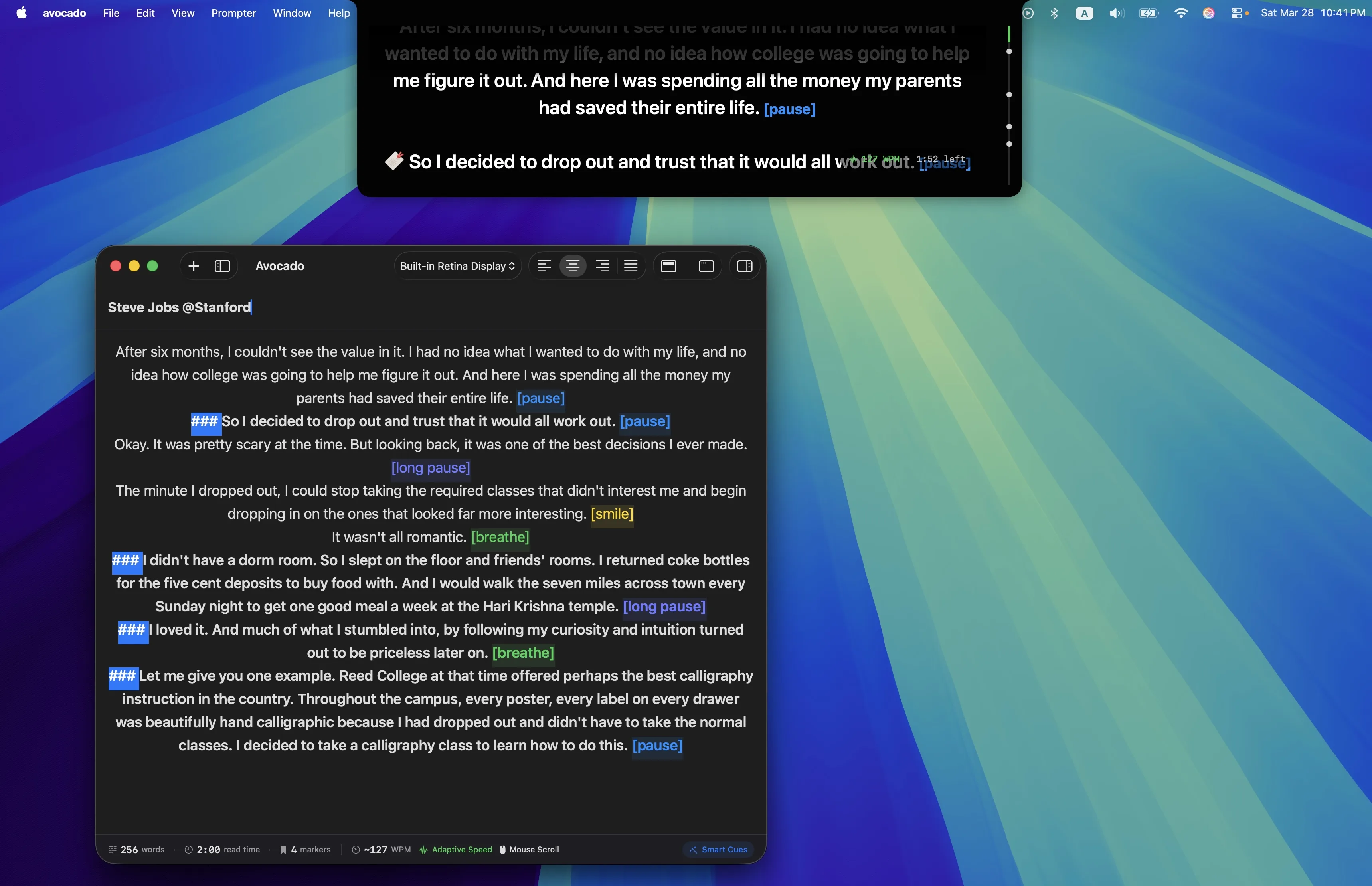
By passing your presentation script through an on-device model, Avocado automatically maps the semantic intent of your entire presentation and injects invisible markers that format specific directions globally:
- [pause] — Injected after heavy statements or rhetorical questions to let the point land.
- [breathe] — Added automatically into long, run-on paragraphs to prevent gasping.
- [smile] — Detected naturally in lighthearted contexts to break the tension.
Because these cues are inserted as highlighted, color-coded blocks on your Prompter and Editor screens, they break up the endless "wall of text." They serve as natural speed bumps, forcing you to slow down, take a breath, and deliver a line with genuine emotion.
100% Private Processing
Many executives and founders present highly confidential information—earnings reports, unreleased product specs, or internal metrics. Uploading these scripts to a cloud API is a massive security risk. Because Smart Cues run 100% locally on your Mac's Neural Engine, the script never leaves the device.
The result is a presentation that feels genuinely coached—not automated. Smart Cues won't make you sound like a robot reading a script. They'll make you sound like someone who rehearsed until it felt effortless.
If you're not sure what your natural speaking pace actually is, this guide walks through the research—and how to measure your own baseline before your next recording.