Teleprompter for TikTok & Reels
Record engaging short-form content with your Mac's webcam. Avocado's adaptive scrolling ensures you never stumble over your words.
macOS Sonoma 14+
10,000+ creators record with Avocado
Welcome to Avocado. smile
The stealthiest teleprompter
ever created for macOS.
It remains completely invisible
when sharing your screen on Zoom. pause
Nail every presentation while
maintaining perfect eye contact. breathe
Avocado listens as you speak,
automatically scrolling text
to match your natural rhythm. pause
Start free. Go Pro when you're ready.
Customize the font, size, and color
or detach it into Floating Mode. smile
Start reading beautifully today.
Keep scrolling to see more... long pause
Welcome to Avocado. smile
The stealthiest teleprompter
ever created for macOS.
It remains completely invisible
when sharing your screen on Zoom. pause
Nail every presentation while
maintaining perfect eye contact. breathe
Avocado listens as you speak,
automatically scrolling text
to match your natural rhythm. pause
Start free. Go Pro when you're ready.
Customize the font, size, and color
or detach it into Floating Mode. smile
Start reading beautifully today.
Keep scrolling to see more... long pause
Record engaging short-form content with your Mac's webcam. Avocado's adaptive scrolling ensures you never stumble over your words.
macOS Sonoma 14+
10,000+ creators record with Avocado
Put your script where your eyes already are — so you look straight down the barrel of the camera.
No operator, no foot pedal — the script keeps up with your voice and waits when you stop.
Find your place instantly, stay on the active line, and let on-device AI handle the pacing.
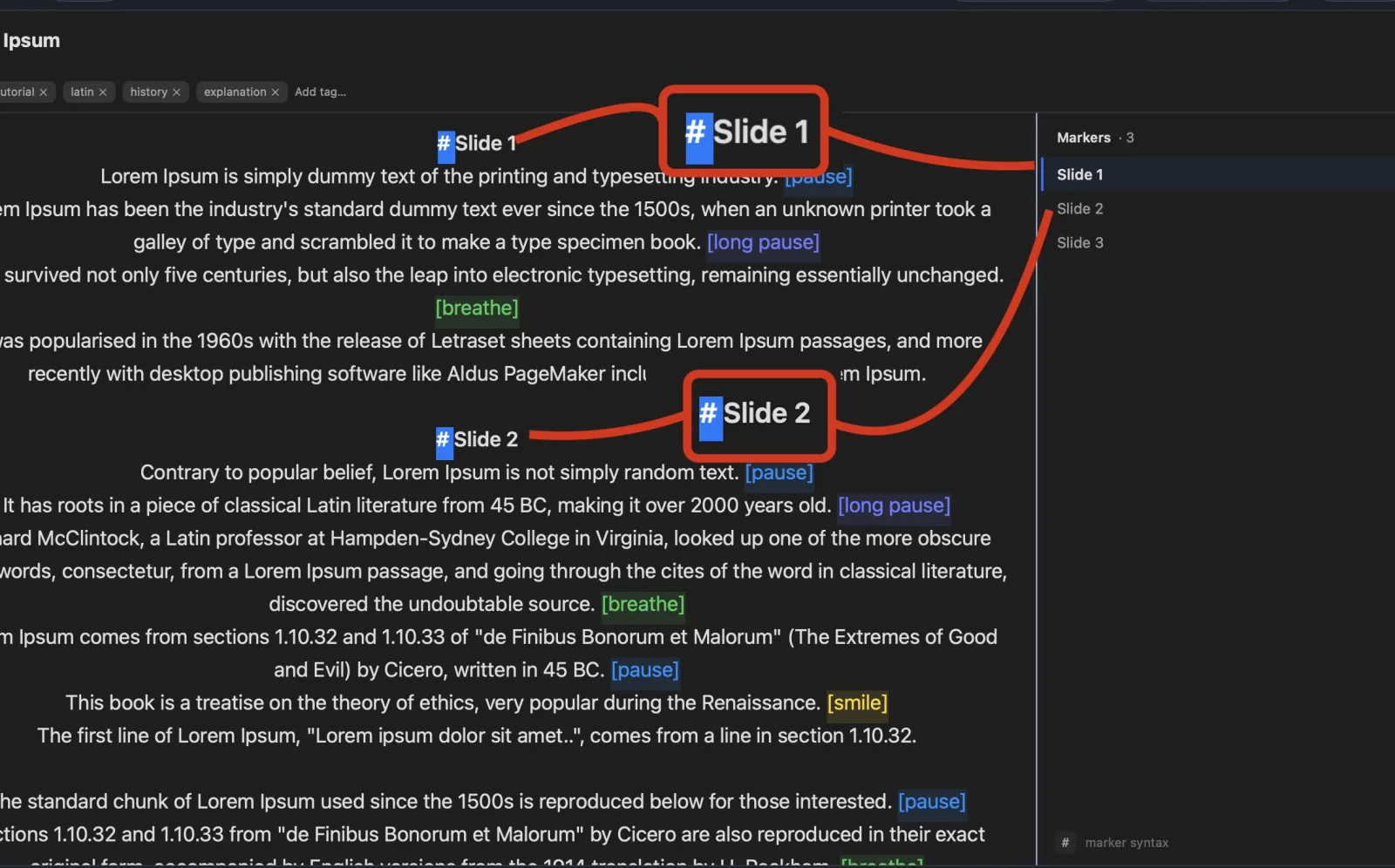
Turn any phone, tablet, or laptop into a remote and a second screen — no app, no account.
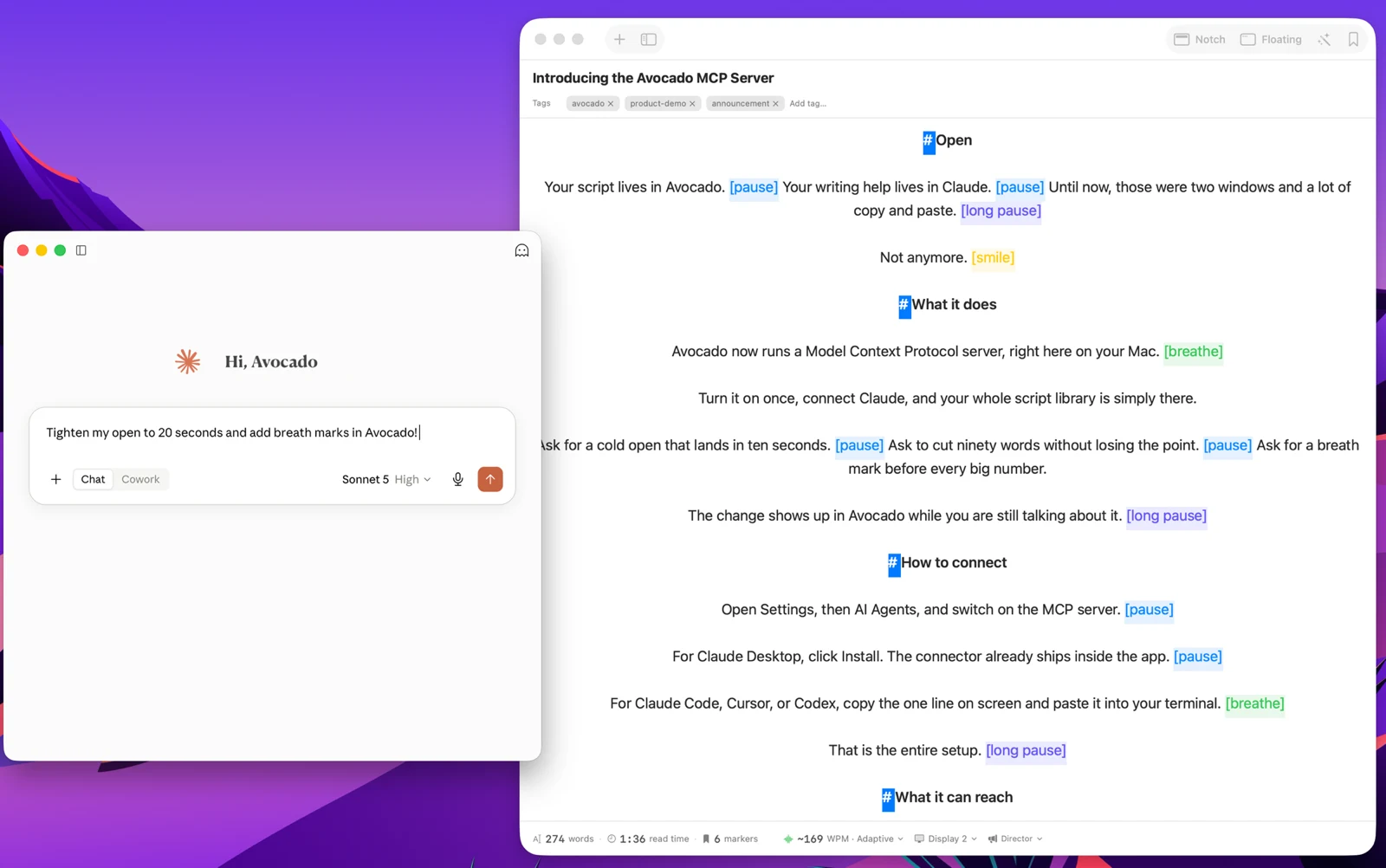
Write with the AI assistant you already use, let Apple Intelligence keep the library organized, and turn every session into a private, on-device report — only the counts are stored, never your words.
Avocado Pro
Every week, no card. Unlimited voice scrolling, AI Smart Cues, and Director Mode when you're ready to keep them.
Short-form video heavily punishes lack of energy or eye contact. If you look down to check your notes on an Instagram Reel or TikTok, viewers swipe away in milliseconds. Utilizing Avocado as a teleprompter for TikTok directly from your Mac fundamentally upgrades your editing process. By anchoring your text directly below the camera lens, your content feels intimate, punchy, and face-to-face. Just write your hook, copy the script into Avocado, use local voice tracking to pace yourself perfectly, and record a 60-second viral YouTube Short without stuttering once.