Teleprompter for Virtual Presentations
Turn your Mac into a professional presentation rig. Avocado guarantees you make eye contact with your audience while effortlessly reading your notes.
macOS Sonoma 14+
10,000+ creators record with Avocado
Welcome to Avocado. smile
The stealthiest teleprompter
ever created for macOS.
It remains completely invisible
when sharing your screen on Zoom. pause
Nail every presentation while
maintaining perfect eye contact. breathe
Avocado listens as you speak,
automatically scrolling text
to match your natural rhythm. pause
Start free. Go Pro when you're ready.
Customize the font, size, and color
or detach it into Floating Mode. smile
Start reading beautifully today.
Keep scrolling to see more... long pause
Welcome to Avocado. smile
The stealthiest teleprompter
ever created for macOS.
It remains completely invisible
when sharing your screen on Zoom. pause
Nail every presentation while
maintaining perfect eye contact. breathe
Avocado listens as you speak,
automatically scrolling text
to match your natural rhythm. pause
Start free. Go Pro when you're ready.
Customize the font, size, and color
or detach it into Floating Mode. smile
Start reading beautifully today.
Keep scrolling to see more... long pause
Turn your Mac into a professional presentation rig. Avocado guarantees you make eye contact with your audience while effortlessly reading your notes.
macOS Sonoma 14+
10,000+ creators record with Avocado
Put your script where your eyes already are — so you look straight down the barrel of the camera.
No operator, no foot pedal — the script keeps up with your voice and waits when you stop.
Find your place instantly, stay on the active line, and let on-device AI handle the pacing.
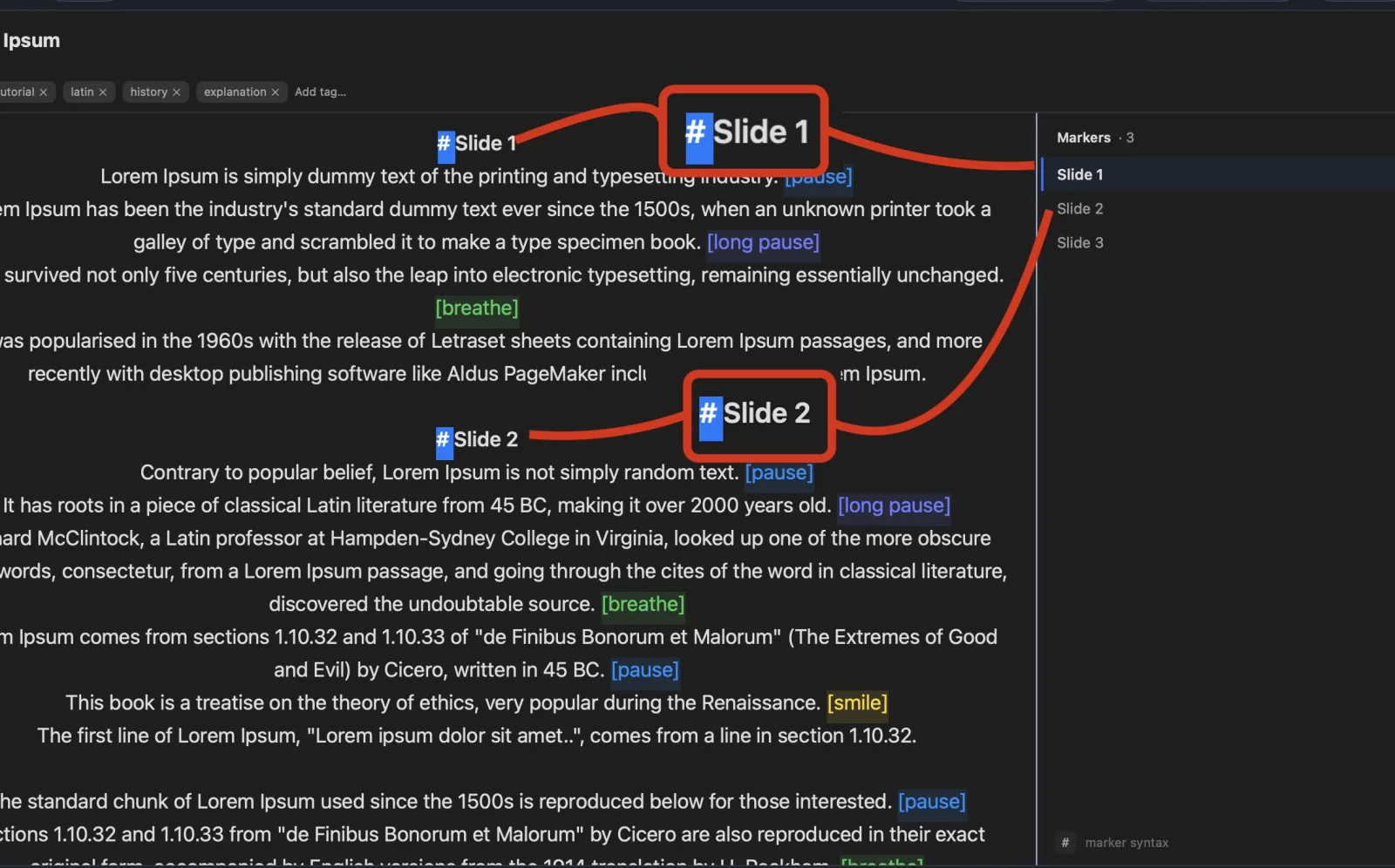
Turn any phone, tablet, or laptop into a remote and a second screen — no app, no account.
Write with the AI assistant you already use, let Apple Intelligence keep the library organized, and turn every session into a private, on-device report — only the counts are stored, never your words.
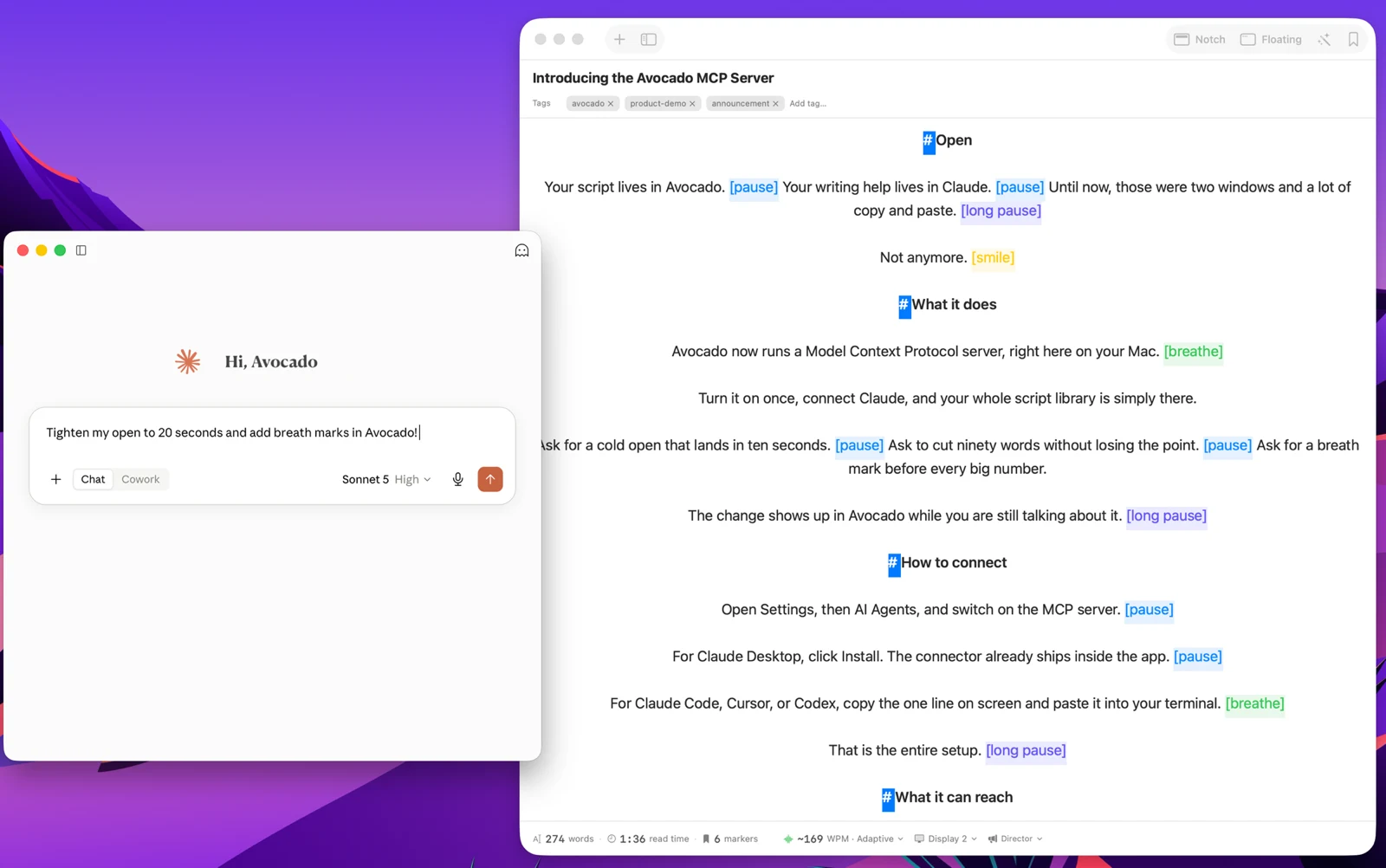
Avocado Pro
Every week, no card. Unlimited voice scrolling, AI Smart Cues, and Director Mode when you're ready to keep them.
Public speaking is terrifying enough without trying to manage complex software on one screen. Whether you are using Keynote, PowerPoint, or Prezi, Avocado serves as the ultimate teleprompter for virtual presentations. If your deck lives in PowerPoint, simply drop the .pptx file into Avocado — it instantly extracts your presenter notes and creates a Script Marker for every slide, so you can jump to any section from the sidebar mid-presentation. Because it features a highly customizable 'Floating Mode', you can resize it into a tiny, focused sliver or a large, wide block, dragging it precisely where you need it alongside your slides. The Focus Guide feature ensures that previous lines fade away, allowing your eyes to snap perfectly back to the exact word you need after looking away to gesture or check an audience reaction.