Download

Welcome to Avocado. smile

The stealthiest teleprompter

ever created for macOS.

It remains completely invisible

when sharing your screen on Zoom. pause

Nail every presentation while

maintaining perfect eye contact. breathe

Avocado listens as you speak,

automatically scrolling text

to match your natural rhythm. pause

Start free. Go Pro when you're ready.

Customize the font, size, and color

or detach it into Floating Mode. smile

Start reading beautifully today.

Keep scrolling to see more... long pause
Welcome to Avocado. smile

The stealthiest teleprompter

ever created for macOS.

It remains completely invisible

when sharing your screen on Zoom. pause

Nail every presentation while

maintaining perfect eye contact. breathe

Avocado listens as you speak,

automatically scrolling text

to match your natural rhythm. pause

Start free. Go Pro when you're ready.

Customize the font, size, and color

or detach it into Floating Mode. smile

Start reading beautifully today.

Keep scrolling to see more... long pause
Teleprompter for Loom Recordings

Make every asynchronous update count. Avocado helps you record concise, articulate Loom videos on the first try by keeping your script right below your camera lens.

macOS Sonoma 14+

1,000+ creators record with Avocado

Right under the lens.

Put your script where your eyes already are — so you look straight down the barrel of the camera.

Hands-free, at your pace.

No operator, no foot pedal — the script keeps up with your voice and waits when you stop.

Read it like you wrote it.

Find your place instantly, stay on the active line, and let on-device AI handle the pacing.

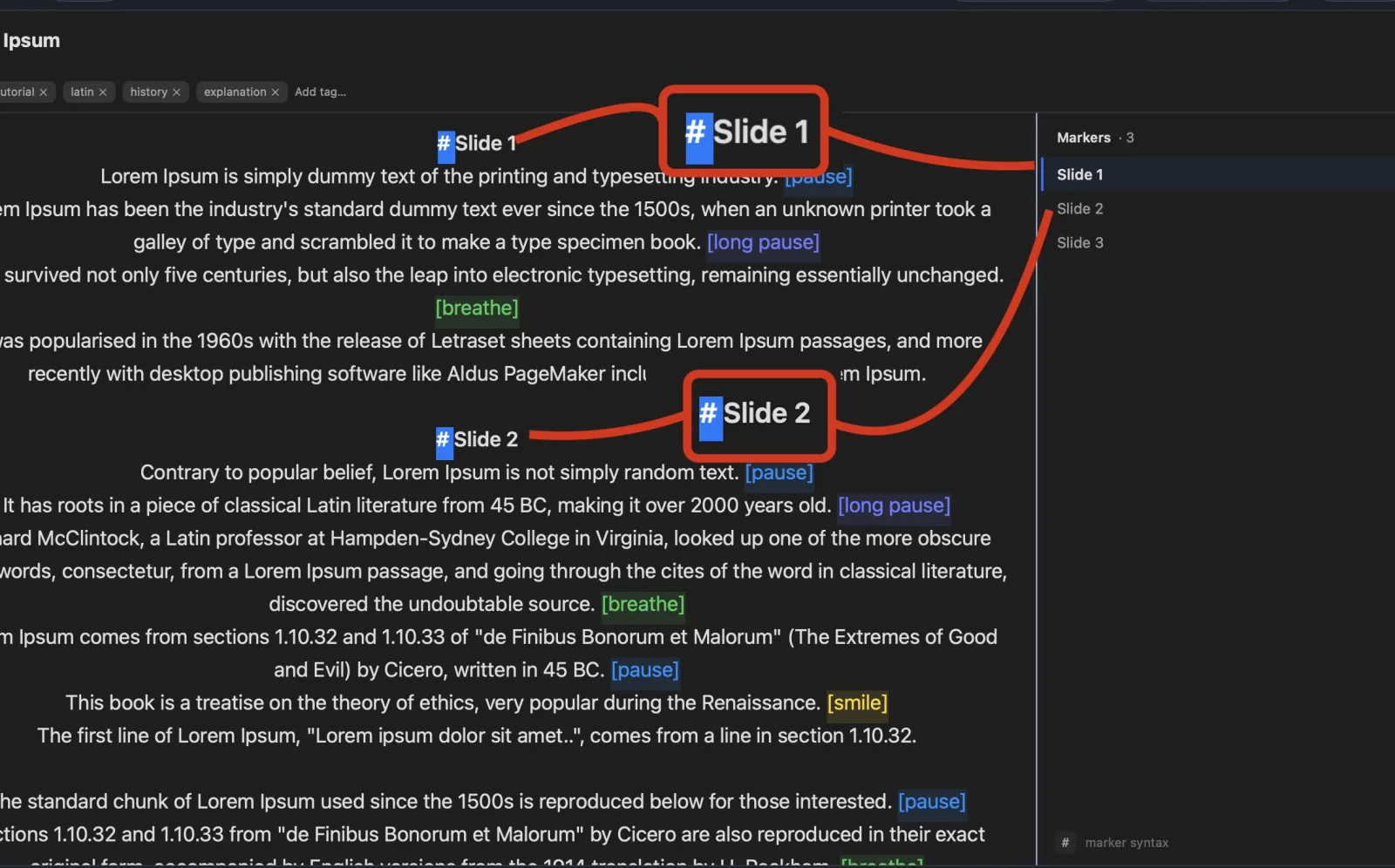
Avocado editor showing the script-marker sidebar as a live table of contents

Run the shoot from anywhere.

Turn any phone, tablet, or laptop into a remote and a second screen — no app, no account.

It keeps working between takes.

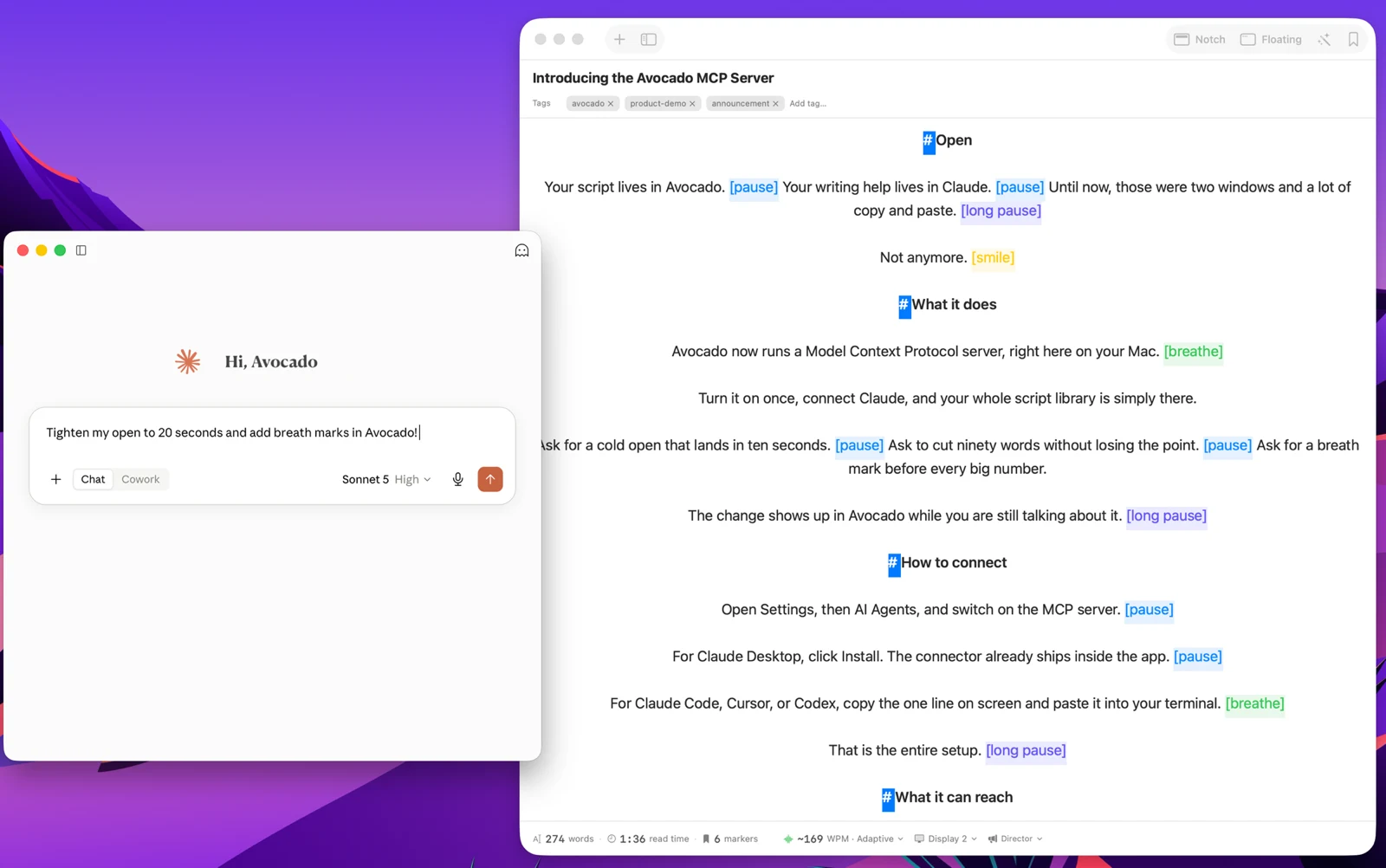
Apple Intelligence keeps your library organized, and every session becomes a private, on-device report — only the counts are stored, never your words.

An Avocado script auto-named by Apple Intelligence, with auto-suggested tags above the text

Avocado Pro

Ready to go further?

Unlimited voice scrolling, AI Smart Cues, Director Mode, and more.

Or try it free first — every week includes 3 Pro Passes, no card required.

See plans

Sound like you know it by heart.

How Avocado Solves Teleprompter for Loom

100% Invisible on Loom
Native macOS System Integration
Voice-Activated Smart Scrolling
Zero Latency, On-Device AI

Frequently Asked Questions

Can I use a teleprompter with Loom without it appearing in the recording?
Yes — Avocado is excluded from all screen and window captures at the macOS WindowServer level, which includes Loom's screen recorder. Your script scrolls in the notch above the camera while your Loom recording captures only your face and screen content.
How do I make Loom videos without lots of retakes?
Most Loom retakes happen when you lose your place or forget a point mid-recording. Avocado keeps your key points or full script visible in the notch above the camera, and voice-activated scrolling advances the text as you speak — reducing hesitation and the need to restart.
What's the best way to record polished Loom walkthroughs?
Write your walkthrough script or outline in Avocado, arrange your screen for the Loom recording, then start both simultaneously. Because Avocado is OS-level excluded, it doesn't appear in the Loom video. You can record a complete, confident walkthrough in one take rather than stitching together clips.
Does a teleprompter help with async video messages?
Async video messages like Loom are increasingly replacing emails in sales and team communication, where clear, concise delivery matters. Having your key points in Avocado means you stay on message without rambling, which keeps your videos short and professional without requiring heavy editing.
View mode