The Basic Definition
A teleprompter is a device or application that displays a scrolling script in the speaker's line of sight, allowing them to read prepared text while maintaining eye contact with the camera or audience. The name comes from the original hardware product — TelePrompTer — introduced in the early 1950s by Hubert Schlafly and Irving Kahn, initially used for live television broadcasts where actors and news anchors needed to deliver scripted content without visible cue cards.
The fundamental design hasn't changed: the text needs to be positioned where the speaker is already looking. Everything else — mirrors, motors, apps, notches — is implementation detail in service of that one idea.
How Traditional Hardware Teleprompters Work
Broadcast teleprompters use a beam-splitter — a half-silvered mirror mounted at a 45-degree angle in front of a camera lens. A display underneath the mirror projects text upward through the glass. The speaker sees the reflected text. The camera, positioned behind the mirror, shoots straight through it and sees only the subject. The result: the speaker appears to look directly into the lens while reading a script.
These rigs are effective but expensive ($2,000–$10,000+ for a professional setup), bulky, and require an operator. They're standard in broadcast news, political addresses, and high-production video shoots. For everyone else — remote professionals, content creators, developers recording tutorials, course creators — hardware prompters are impractical.
Software Teleprompters
Software teleprompters replace the mirror rig with a screen. A floating window or fullscreen display shows scrolling text. The challenge is positioning: a phone propped next to a camera, a tablet mounted below the lens, or a window on a laptop screen can get the text close to the camera, but "close" is different from "at the lens." Any lateral offset shows up as an eye-contact problem on video — the speaker appears to be looking slightly off-camera, which reads as distraction or nervousness even when the viewer can't identify the cause.
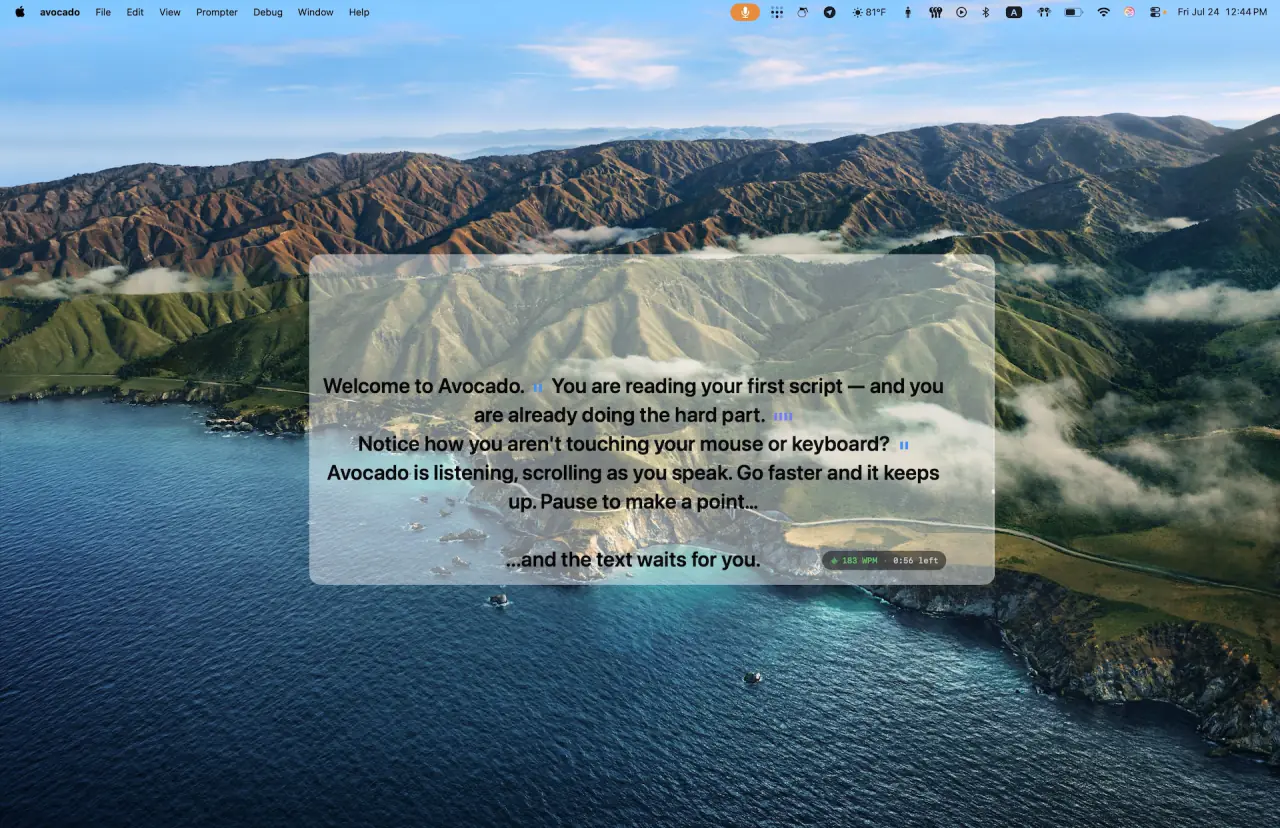
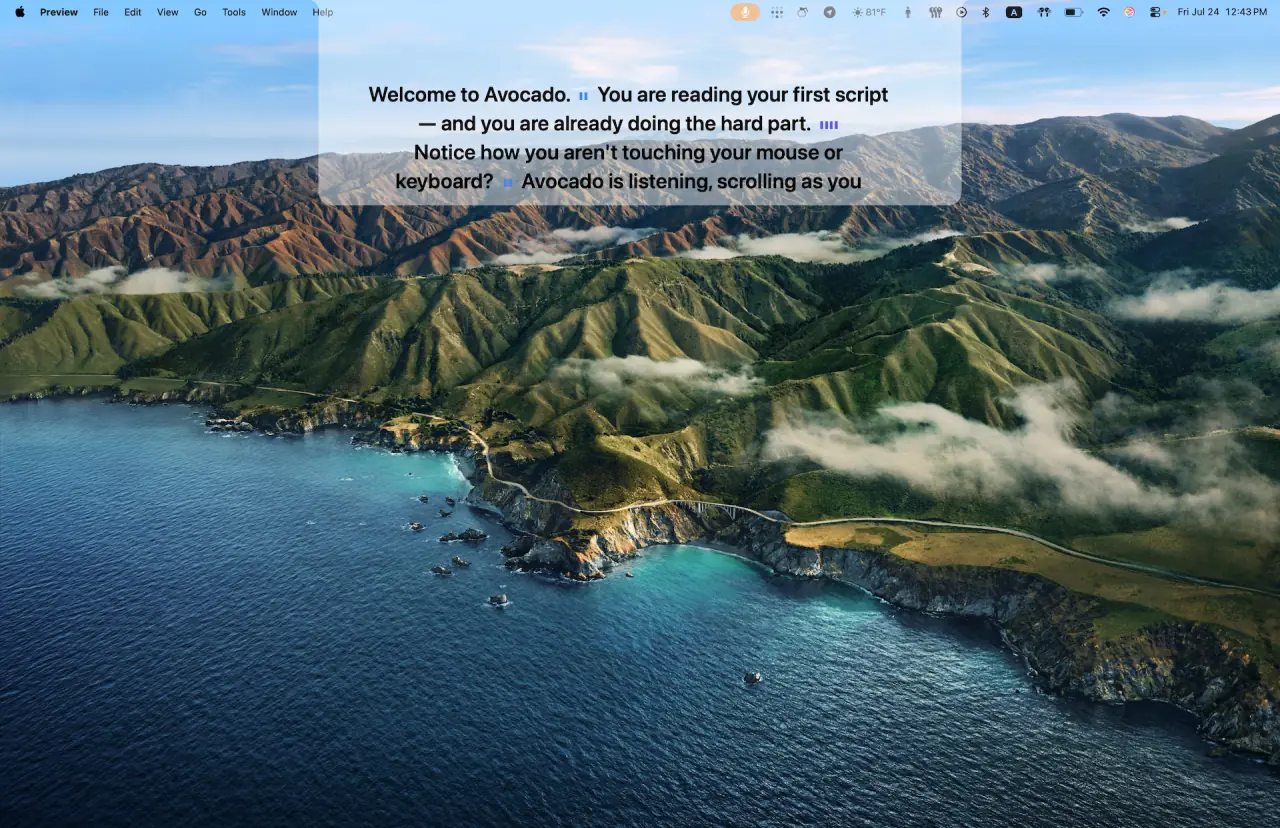
The best software implementations solve this by designing specifically for the hardware people actually use. On a MacBook, the camera is in the notch — a small cutout at the top center of the display. Avocado is built around this: the prompter window snaps into the notch, placing the text immediately above the lens. The result is the same spatial alignment that a hardware beam-splitter achieves, without the equipment.
Why Broadcast Teleprompter Text Is Mirrored
One detail confuses almost everyone who looks at a professional prompter for the first time: the script on the source display is reversed, right to left. This isn't a quirk — it's required by the optics. The beam-splitter flips the image on its way to the speaker's eyes, so the display underneath has to show the text already mirrored for the reflection to read correctly. Point a camera at that lower display and you'd see nonsense.
Software teleprompters that put text on the screen you're already looking at need no mirroring at all — there's no reflection in the path. Most still ship a mirror toggle, because the same app is often used to drive a physical beam-splitter rig from a laptop or tablet. If you're building or buying one of those setups, the mechanics of mirrored text are worth understanding before you mount anything.
How Scrolling Works
Early teleprompters used mechanical scrolling driven by a motor that an operator controlled with a foot pedal or dial. The operator watched the speaker and adjusted the speed in real time — a skilled teleprompter operator can match a speaker's pace closely enough that the reading feels natural even under pressure.
Software teleprompters replicate this with manual speed controls or, more recently, with voice-activated scrolling. Voice tracking uses speech recognition to listen to the speaker and advance the text to match what's being said. If the speaker pauses, the text pauses. If they speed up, it follows. This removes the need for an operator and adapts to natural speech patterns, including the pauses, stumbles, and reroutings that happen in real delivery. Avocado uses Apple's on-device SFSpeechRecognizer for this — all processing happens locally, with no audio uploaded.
Why Eye Contact Matters So Much
The reason teleprompters exist is that eye contact is the primary signal of directness and confidence on camera. When a speaker looks away — to check notes, to think, to find their place — it registers immediately to the viewer. The content can be excellent, but the delivery signals uncertainty. Research on video communication consistently shows that eye contact quality is one of the strongest predictors of perceived credibility and engagement.
For in-person presentations, speakers can glance at notes on a podium briefly without breaking rapport — the physical shared space provides context. On video, there's no shared space. The camera is the only channel of connection, and any gaze that drifts from the lens severs it. A teleprompter positioned correctly keeps the speaker's eyes at the camera for the entire delivery, which changes how the audience experiences the content even when the words are identical.
The Screen-Sharing Problem
Video calls introduced a constraint hardware teleprompters were never designed for: screen sharing. When a speaker shares their screen on Zoom, Teams, or Google Meet, any visible window on their display appears in the share. A floating text window — a traditional software teleprompter — would be immediately visible to everyone in the call.
Modern native teleprompters solve this using operating system APIs that exclude specific windows from capture. On macOS, this is handled by a window-level flag that instructs the WindowServer not to include a window in screen capture output. Avocado uses this approach: the prompter window appears on the speaker's display but is excluded from any screen share, screenshot, or recording. The speaker can read their script during a Zoom presentation; participants see only their face and their shared content.
Who Uses Teleprompters Today
Teleprompter use has expanded significantly beyond broadcast. The rise of video communication — remote work, content creation, online courses, video sales outreach — means that presenting on camera is now a routine professional skill rather than a specialized one. The use cases include:
- Video calls and remote meetings — reading talking points, agendas, or discovery questions without breaking eye contact.
- YouTube and social content — delivering scripted content in one take without the memorization required for a clean performance.
- Online courses and tutorials — recording lesson content with consistent pacing and accuracy across multiple modules.
- Sales presentations and demos — hitting every talking point and objection handler while appearing fully attentive to the prospect.
- Job interviews and self-tapes — referencing prepared answers and sides without the gaze drift that signals reading.
- Conference talks — delivering precise, well-structured presentations where improvising risks mangling technical content or citations.
The Difference Between Good and Poor Teleprompter Delivery
A teleprompter doesn't automatically make delivery good. Poor teleprompter technique is immediately recognizable: the speaker reads at a mechanical, even pace with no variation; their eyes track the text visibly; they never pause for effect because the scroll doesn't stop. The result sounds scripted in the worst sense — not prepared, but read.
Good teleprompter delivery looks like confident speaking from memory. The key variables are script quality (conversational language reads better than formal writing), scroll control (the text should follow the speaker, not the other way around), and positioning (text at the lens, not off to the side). When all three are right, a viewer watching the final recording cannot tell whether the speaker memorized the content or read it.
If you're new to using a teleprompter, this guide on natural delivery covers the practical techniques for avoiding the common pitfalls.
What Teleprompters Cost
The price range is wider than almost any other piece of production gear, because the category spans three genuinely different products:
- Broadcast rigs — $2,000 to $10,000+. Beam-splitter, mounting hardware, a dedicated display, and usually an operator. Justified when a mistake is expensive and someone else is running the shoot.
- Consumer beam-splitter attachments — roughly $100 to $400. A small mirror rig that clamps to a DSLR or phone, driven by a tablet running prompter software. Real eye-line alignment, but you're assembling and packing hardware for every shoot.
- Software teleprompters — free to about $8 a month. No hardware at all. Quality depends entirely on how well the app positions text relative to your actual camera and how the scroll is controlled.
For most people recording on a laptop the third option isn't a compromise — the camera is already a few centimeters from where the text can go, which is alignment a $300 rig has to work to achieve.
Choosing a Teleprompter for Mac
For MacBook users, the key criteria are camera alignment, screen-share invisibility, and whether the app is native or Electron-based (native apps use significantly less battery and memory). Avocado is a free, native macOS teleprompter that addresses all three — it docks to the notch, is invisible in screen shares, and runs at around 4MB of memory. The free tier includes core scrolling and formatting features; Avocado Pro adds voice-activated scrolling, PowerPoint import, multi-monitor follow, and Director Mode for operator-controlled sessions.
If you're weighing specific apps rather than the general category, the 2026 comparison puts the main Mac options side by side on price, free tiers, and what happens when the job outgrows one person reading off one screen.